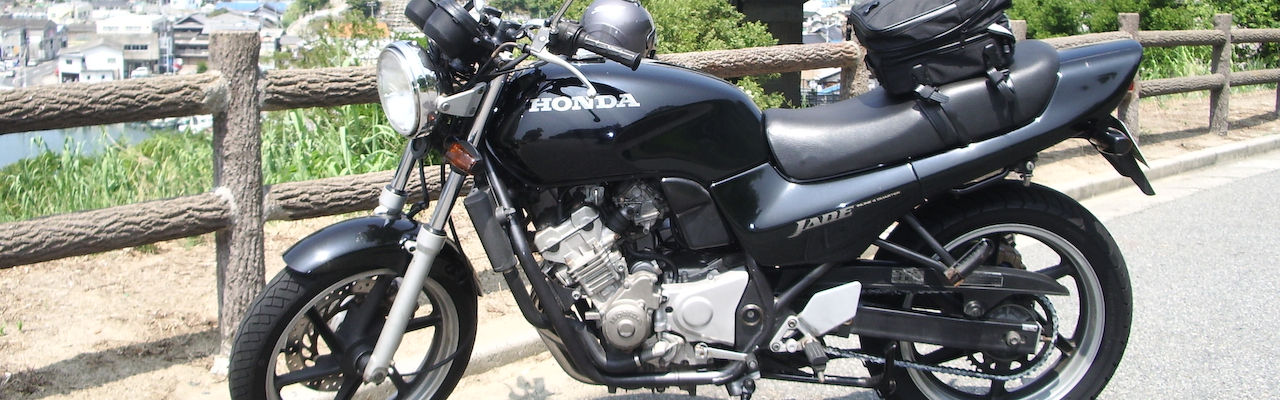




画像をアップするとキャプション(代替えテキスト)が設定できるのだが
何かに利用できないかなと思ったらなんとマウスホバーで表示できた
前回はjavascriptで機能を追加したが
今回はcssとphpだけでできる技を紹介
こちらのサイトを参考にした
まず機能追加用の名前を適当に付けたcssファイルを作成
ここではhover-image.cssとした
そしたらこのファイルに以下のコードを入力
.hover-image {
  display: inline-block;
  margin: 10px;
  text-align: left;
  opacity: .99;
  overflow: hidden;
  position: relative;
  border-radius: 3px;
  box-shadow: 0 0 20px 0 rgba(0, 0, 0, 0.05);
}
.hover-image:before {
  content: '';
  background: -webkit-linear-gradient(top, transparent 0%, rgba(0, 0, 0, 0.7) 100%);
  background: linear-gradient(to bottom, transparent 0%, rgba(0, 0, 0, 0.7) 100%);
  width: 100%;
  height: 50%;
  opacity: 0;
  position: absolute;
  top: 100%;
  left: 0;
  z-index: 2;
  -webkit-transition-property: top, opacity;
          transition-property: top, opacity;
  -webkit-transition-duration: 0.3s;
          transition-duration: 0.3s;
}
.hover-image img {
  display: block;
  max-width: 100%;
  backface-visibility: hidden;
  -webkit-backface-visibility: hidden;
}
.hover-image .details {
  font-size: 16px;
  padding: 20px;
  color: #fff;
  position: absolute;
  bottom: 0;
  left: 0;
  z-index: 3;
}
.hover-image .details span {
  display: block;
  opacity: 0;
  position: relative;
  top: 100px;
  -webkit-transition-property: top, opacity;
          transition-property: top, opacity;
  -webkit-transition-duration: 0.3s;
          transition-duration: 0.3s;
  -webkit-transition-delay: 0s;
          transition-delay: 0s;
}
/*今回は使用しない
.hover-image .details .title {
  line-height: 1;
  font-weight: 600;
  font-size: 18px;
}*/
.hover-image .details .info {
  line-height: 1.2;
  margin-top: 5px;
  font-size: 12px;
}
.hover-image:hover:before,
.hover-image:hover span {
  opacity: 1;
}
.hover-image:hover:before {
  top: 50%;
}
.hover-image:hover span {
  top: 0;
}
/* 今回は使用しない
.hover-image:hover .title {
  -webkit-transition-delay: 0.15s;
          transition-delay: 0.15s;
}*/
.hover-image:hover .info {
  -webkit-transition-delay: 0.25s;
          transition-delay: 0.25s;
}
そしたら子テーマにcssという名前のフォルダを作って
出来上がったファイルをアップロード
子テーマのstyle.cssに以下のコードを入力してインポートする
/*画像にマウスホバーでキャプションを表示するCSS*/
@import url('./css/hover-image.css');
そしたら今度は画像のimgタグを読み込んで自動的にコードを付加する
以下のユーザー定義関数を子テーマのfunctions.phpに追記する
//画像が出てきたらキャプション表示用のラッパーを装着
function wrap_hover_image($the_content) {
  if ( is_singular() ) {
    //Alt属性値のある画像タグをラッパー付きのタグで置換する
    $the_content = preg_replace(
      '/(<img.+?alt=[\'"]([^\'"]+?)[\'"].+?>)/i',
      '<div class="hover-image">${0}<div class="details"><span class="info">${2}</span></div></div>',
      $the_content);
  }
  return $the_content;
}
add_filter('the_content','wrap_hover_image');
*phpに追記する場合は必ず
<?php

/*-------必ずこの間に関数を追記する-------*/

?>
すべての関数を <?php と ?> で囲むようにすること!
以上で画像ホバー時に自動的にキャプションが表示されようになる
*ただし画像をアップロードする際に代替えテキスト(画像のalt属性の部分)
に入力したテキストが表示される(画像のalt属性の部分)ので
キャプションには何も入力しないように

コメントを残す